 Dota Addiction
FREE, NO LIMITS
Dota 2 match history
Link your Dota 2 profile and every match plays itself back — the fight that turned it, the farm you never took, and the smurf who was never going to lose.
Free · No account, no login, no registration, no Steam login
The lobby
Who were you actually playing against?
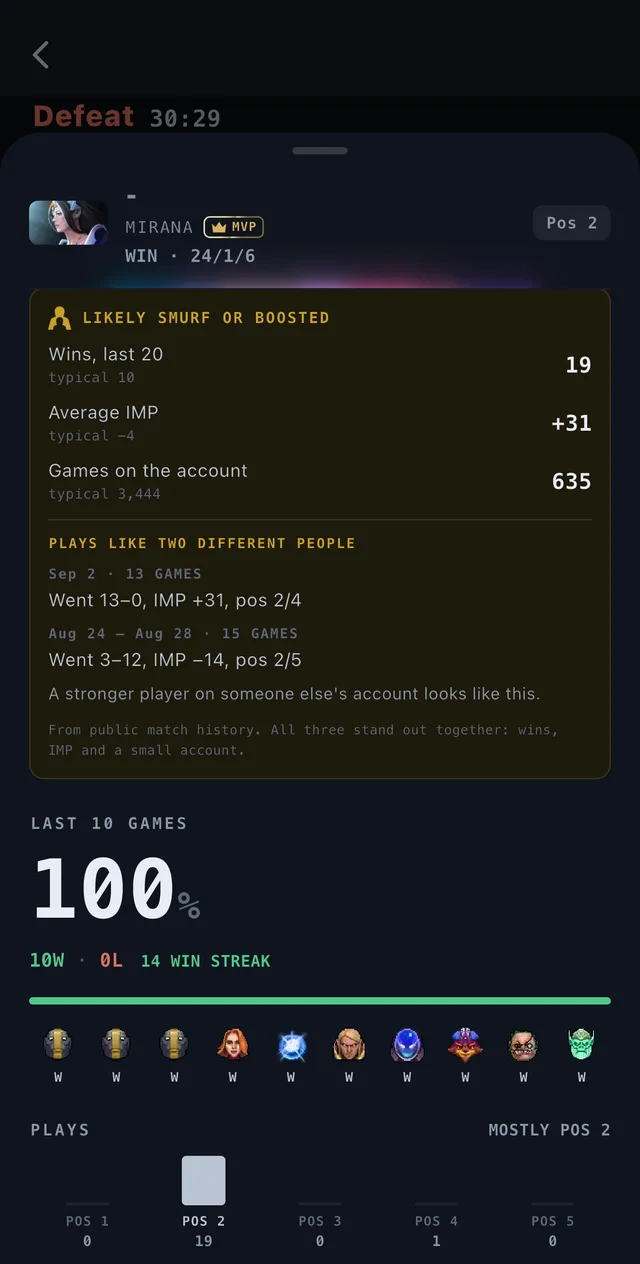
Tap any name on the scoreboard. Their medal, their form over the last ten, what they’ve been playing lately — and how many times you’ve shared a lobby with them before, on which hero, and whether you won.
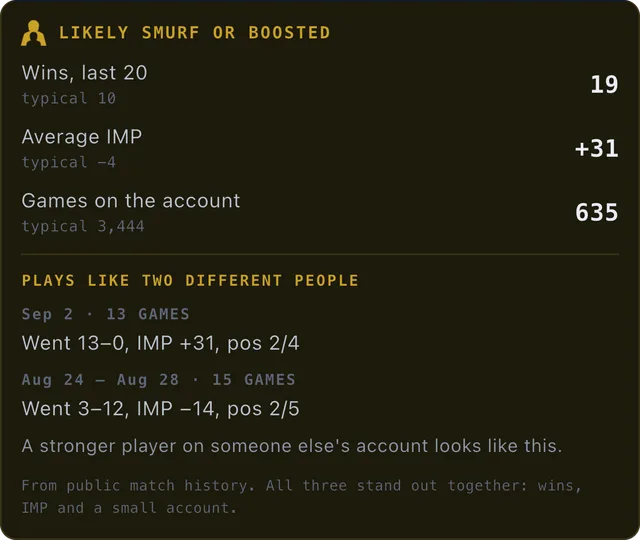
Plays like two different people
Three signals have to stand out together before the app says anything: the wins, the average IMP and the size of the account. When a dominant run and a losing one sit on the same account far enough apart, it says that too — in amber, which on this screen means a guess, never a claim.
A player who hides their match history stays hidden. The sheet says so, and falls back to the games the two of you actually played.
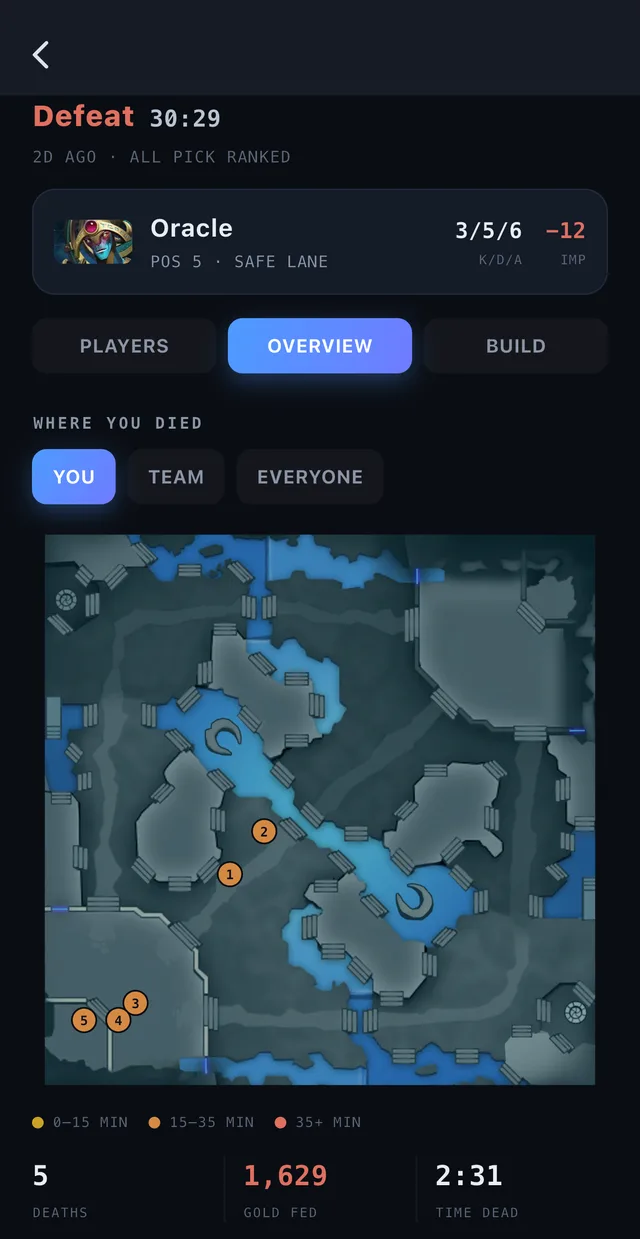
Where you died
Not that you died five times.
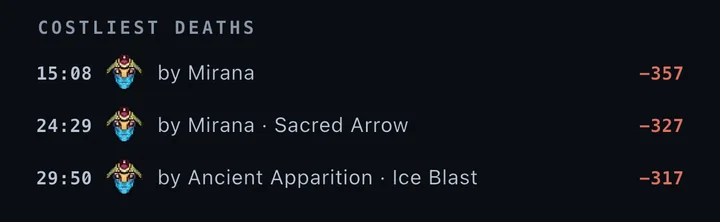
Where, to whom, and what you still had in your pocket. Every death on the map, split by the phase of the game, and then the ones that cost the most — each with the reason it didn’t have to happen.
- Burst down
- Died trying to teleport out
- Died with a heal ready
- Died chasing back in
Switch the map from You to Team or Everyone and the same picture answers a different question: whether it was you, or whether the map was lost.
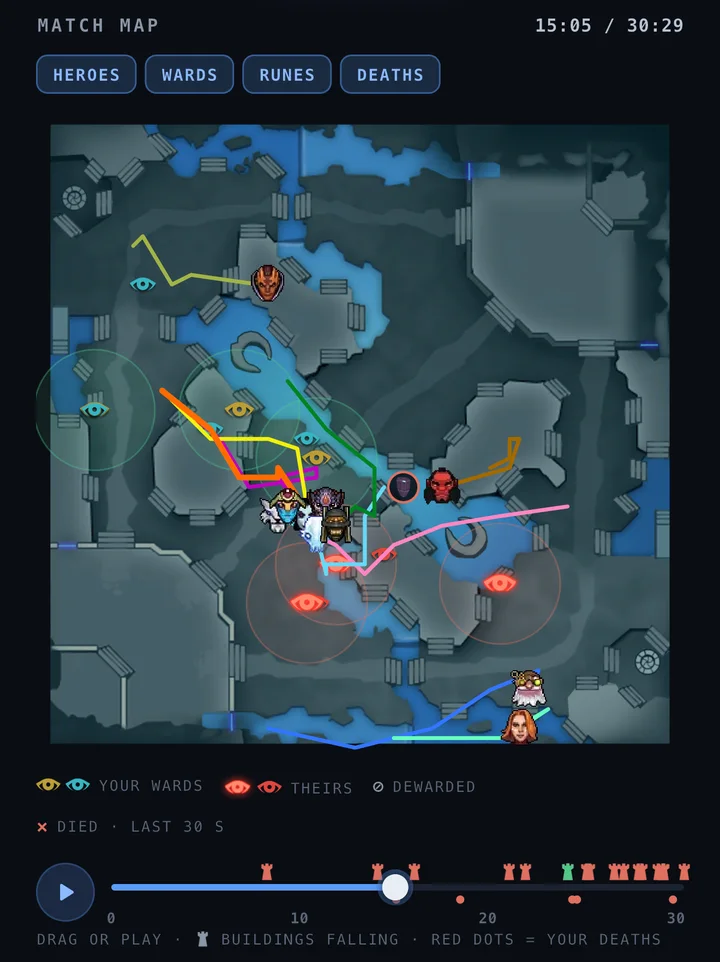
Match map
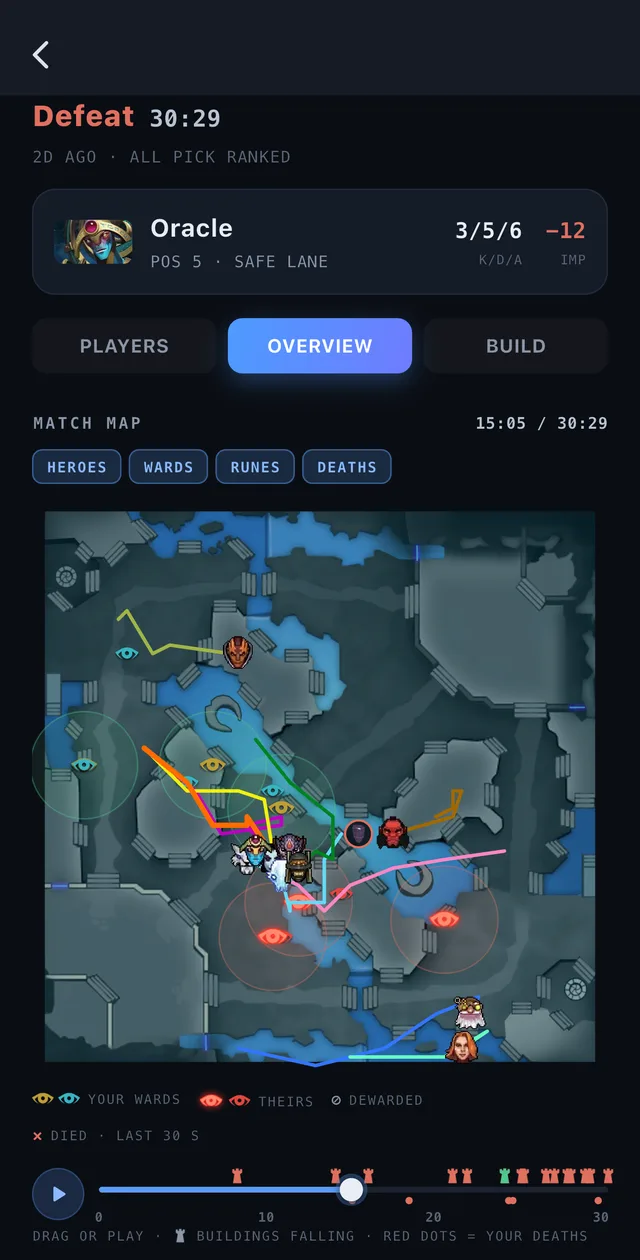
Press play.
Watch the whole game back.
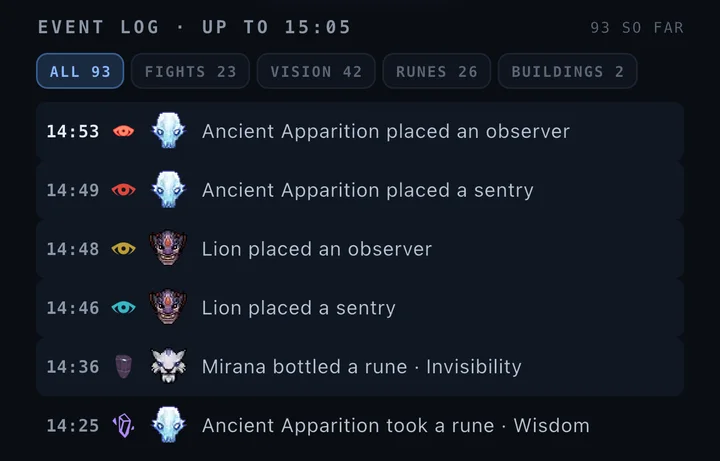
The whole match on one minimap. Every hero draws its trail in its own in-game colour, wards go up and get dewarded, runes get taken and bottled, buildings fall. Drag the timeline anywhere — or tap a line in the event log and the map jumps to it.
- Four layers — heroes, wards, runes, deaths — on or off
- An event log you can filter to fights, vision, runes or buildings
- How long every ward stood, and who killed it
And the rest of it
Every match opens on an answer, not a table
Each section goes as deep as the replay allows, and hides itself rather than showing you an empty frame.
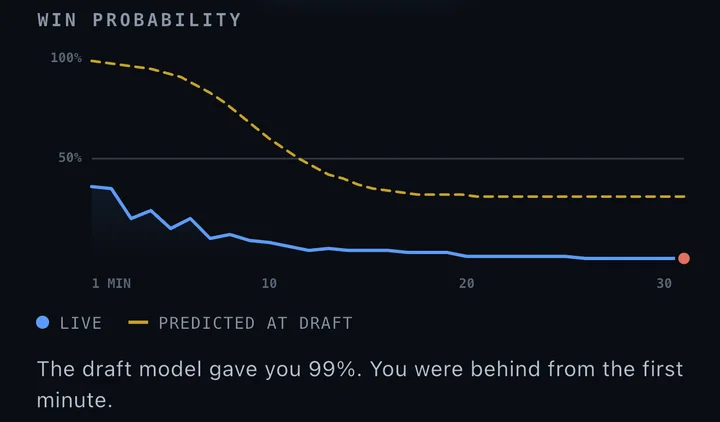
Win odds against the draft’s call
What the model gave you at the draft, drawn against what the game did with it — plus which lanes went, and the net worth lead.
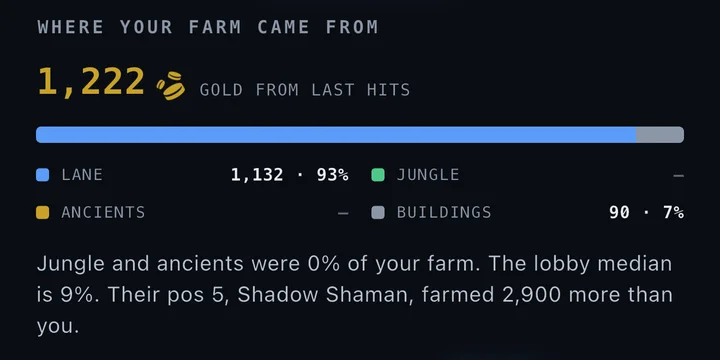
Where your farm came from
Lane, jungle, ancients and buildings — gold from last hits, split four ways, then set against the rest of the lobby.
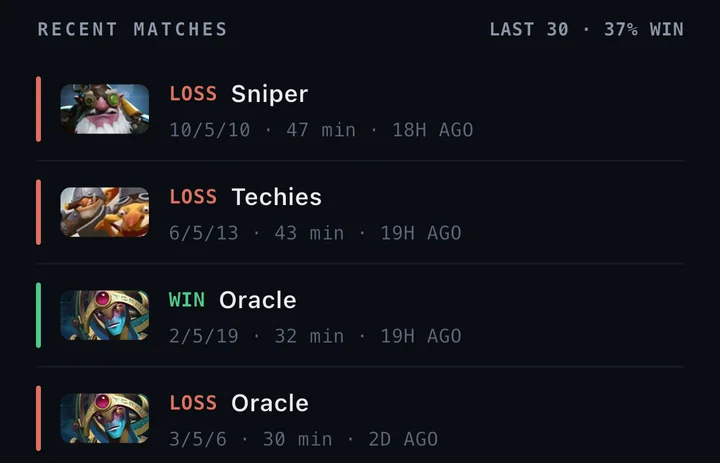
Your results, and your stats
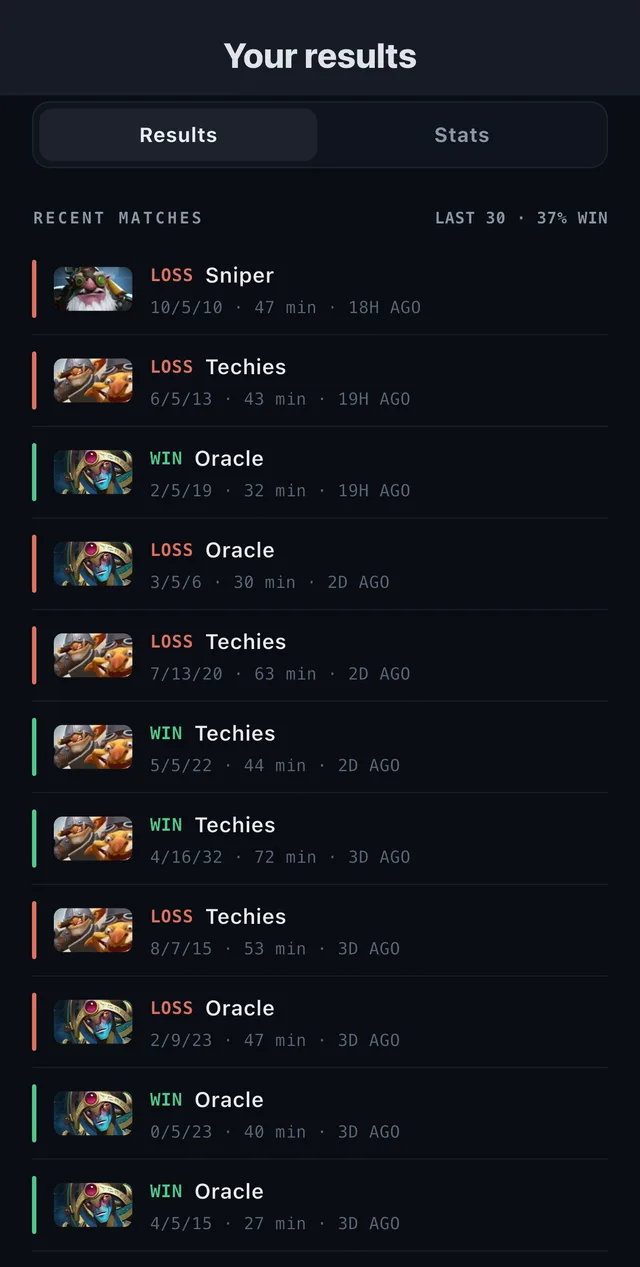
Every match you play, synced from your profile. Best heroes, averages by role, and the win rate over the window you choose. No login, no import.
All of it. Free.
There is no stats tier, and there is no plan to add one. Pro only ever bought unlimited counter-pick recommendations, and it still only buys that.
NO LIMIT · NO TIER
$0What we ask for
A Friend ID.
Not your Steam password.
Linking is two steps you do yourself, and neither of them is a login. Nothing is authorised, no credential is handled, and nothing is ever written back to your account. Unlink in Settings and what we kept is deleted. Full detail in the privacy policy.
-
Turn on Expose Public Match Data
In Dota’s own settings. It’s a switch you already control, and you can switch it back.
-
Type the Friend ID off your own profile
A number, not a password. That is the entire link.
FAQ
Before you link anything
Do I have to log in with Steam?
No, and there is nowhere to. You turn on public match data in Dota’s settings and type your Friend ID — a number off your own profile. No OAuth, no password, no session on your account.
Why does one match show more than another?
The deaths, the farm split and the match map all come out of a parsed replay. Most ranked games are parsed within a few minutes, but not all of them are — and when one never was, those sections hide themselves rather than show you an empty frame.
Is any of this behind Pro?
No. Results, match details, the match map, player cards and the smurf flag are free for everyone, with no limit. Pro only buys unlimited counter-pick recommendations — free gets 3 to try.
How does the smurf flag work?
It looks at a player’s last 20 games and says something only when three things stand out together: at least 15 wins, an average IMP of +15 or better, and fewer than 1,500 games on the whole account. Any one of those alone is just a good player. When it fires, the sheet shows each number next to a typical one, and adds a note when a dominant run and a losing one sit on the same account far enough apart to look like two different people. It is drawn in amber because it is a guess, not a verdict — and a player who hides their match history cannot be checked at all.
Can I unlink my profile?
Yes — Settings → Disconnect. That deletes the link, your synced match list and the player cards fetched for your matches. The Dota setting you turned on is yours and stays as you left it; switch it off in Dota if you want to. See the privacy policy.
See your last match properly.
Free on iPhone and Android. Linking takes about a minute, and you can undo it in one tap.
Or start with the draft scanner — that’s the other half.