 Dota Addiction
Stop losing the draft.
Scan it instead.
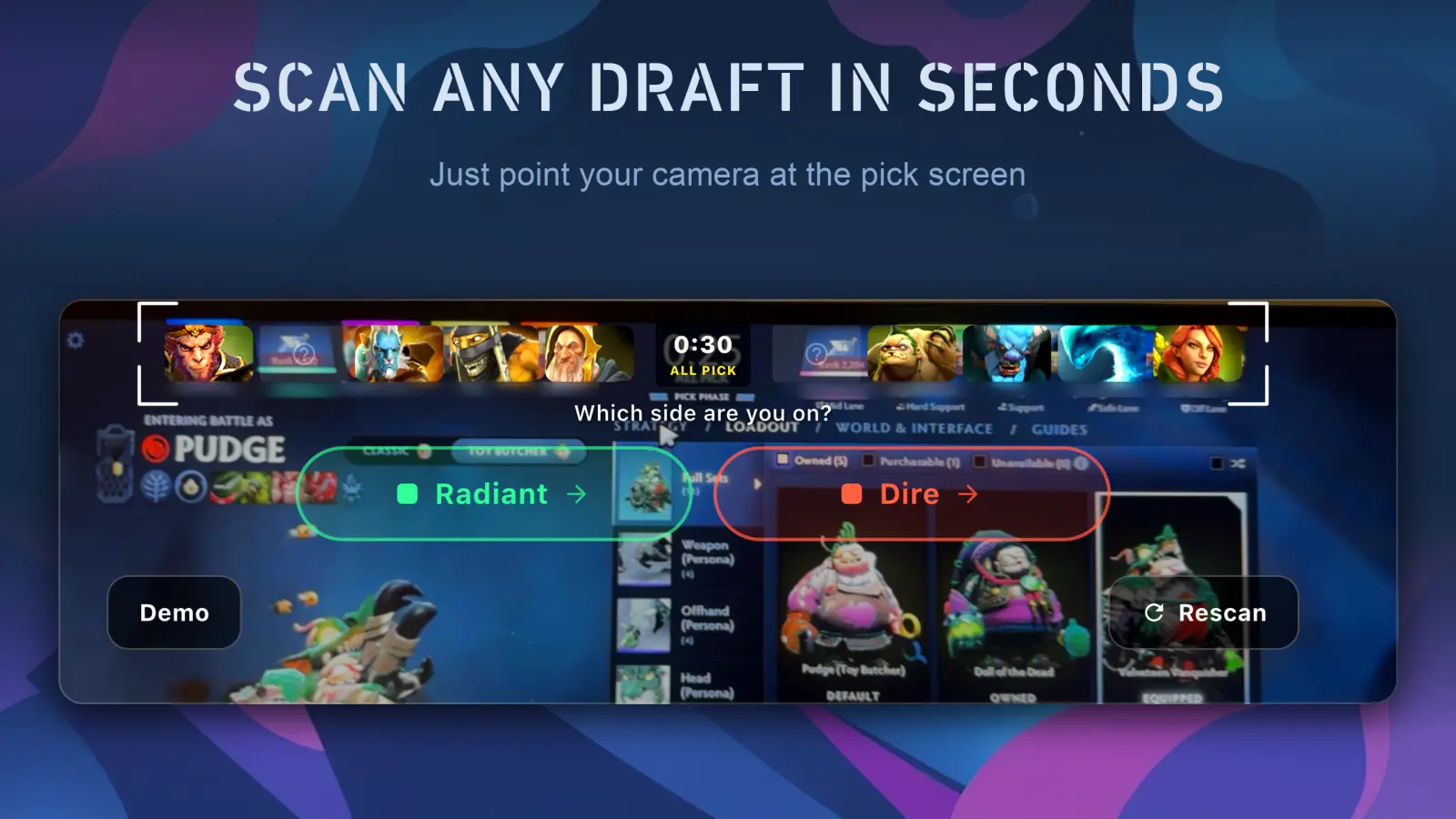
Point your camera at the Dota 2 pick screen. Dota Addiction reads all ten heroes in one look and tells you what to pick — no typing, no alt-tab, no desktop overlay.
Free to try · No account, no login, no registration
How it works
Three seconds, start to finish
The pick timer is thirty seconds. Anything that makes you type is already too slow.
Point the camera
Aim your phone at the monitor during the pick phase. No shutter button — it reads the draft bar continuously.
Confirm the draft
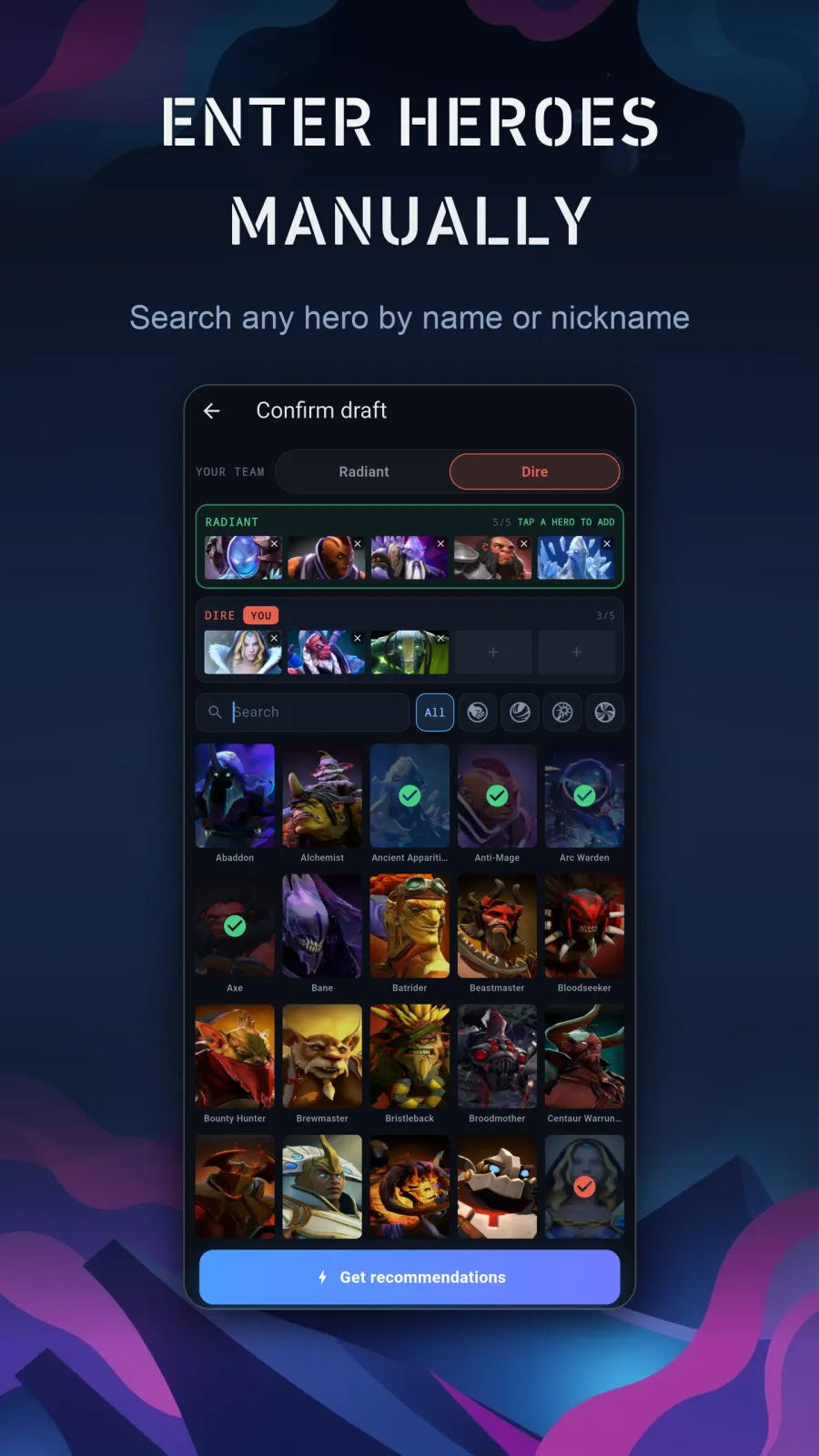
All ten heroes appear at once. Fix a misread hero with a tap if the lighting was bad, then pick your side.
Get your pick
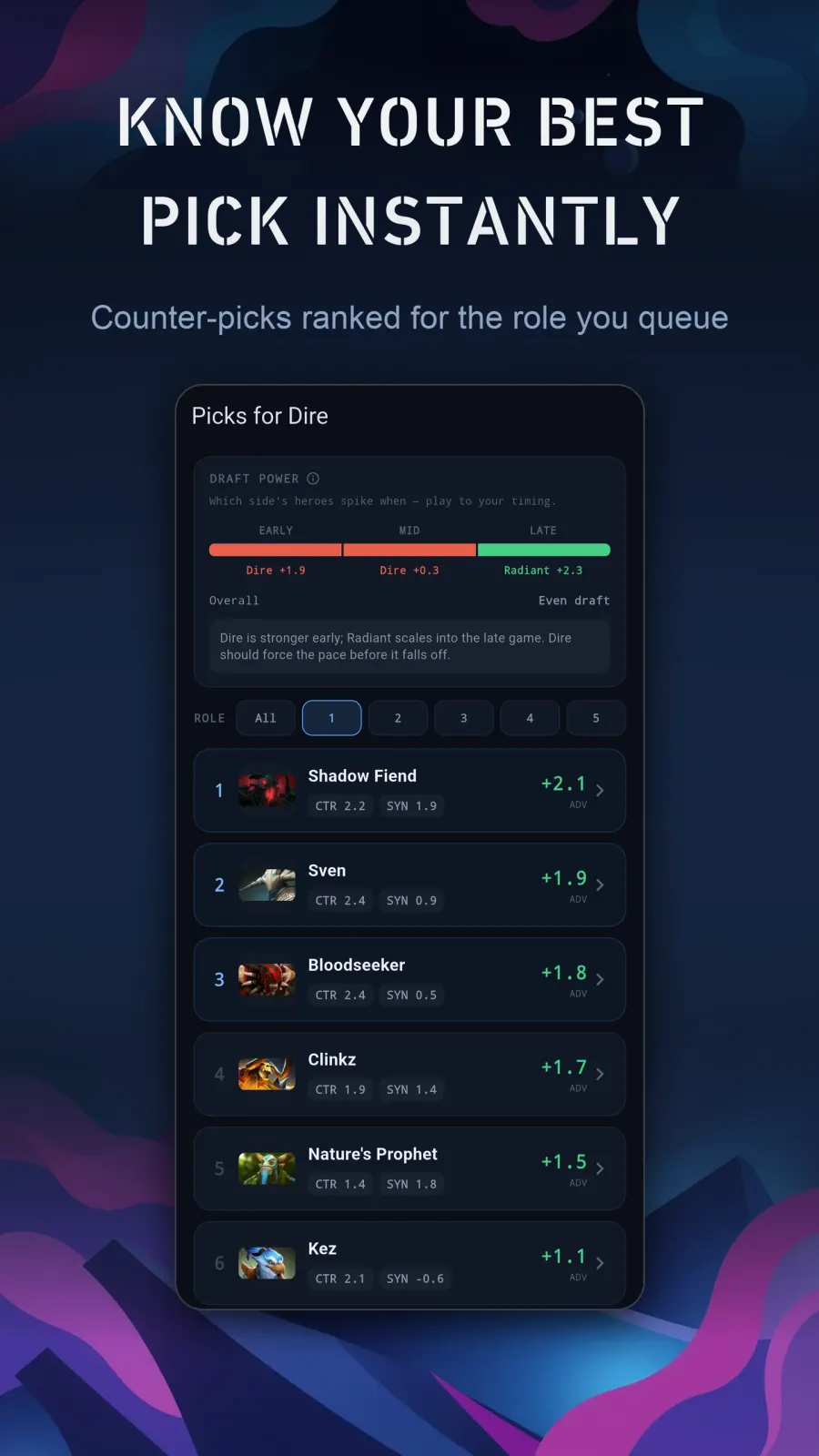
A ranked list of counter picks for the role you queue, with the item build that beats what they drafted.
What you get
Counter picks built for the thirty seconds that decide the game
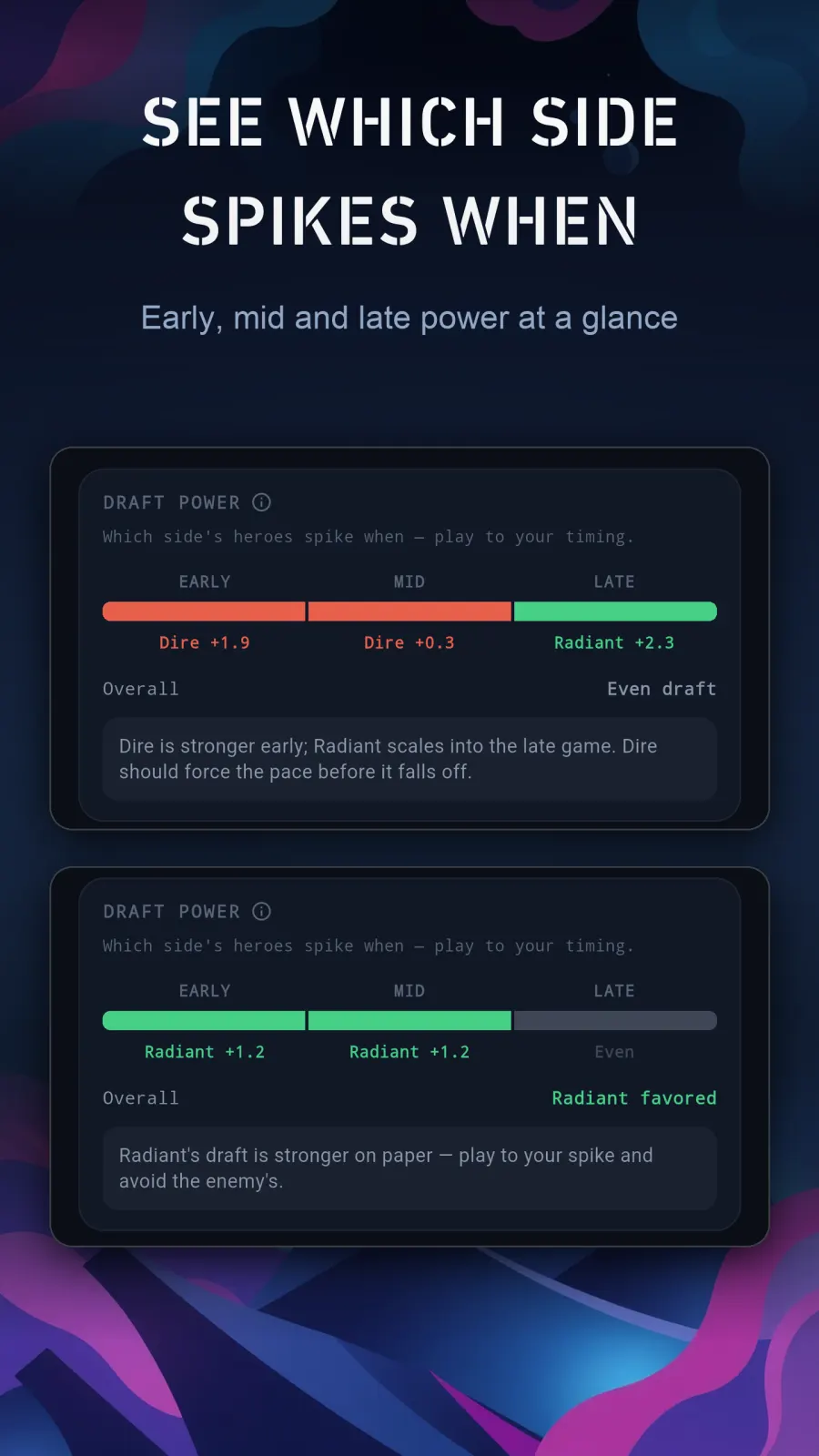
Hero matchup and synergy win rates from live match data — the current meta, not a stale tier list someone wrote three patches ago. Tap any shot to open it full size.
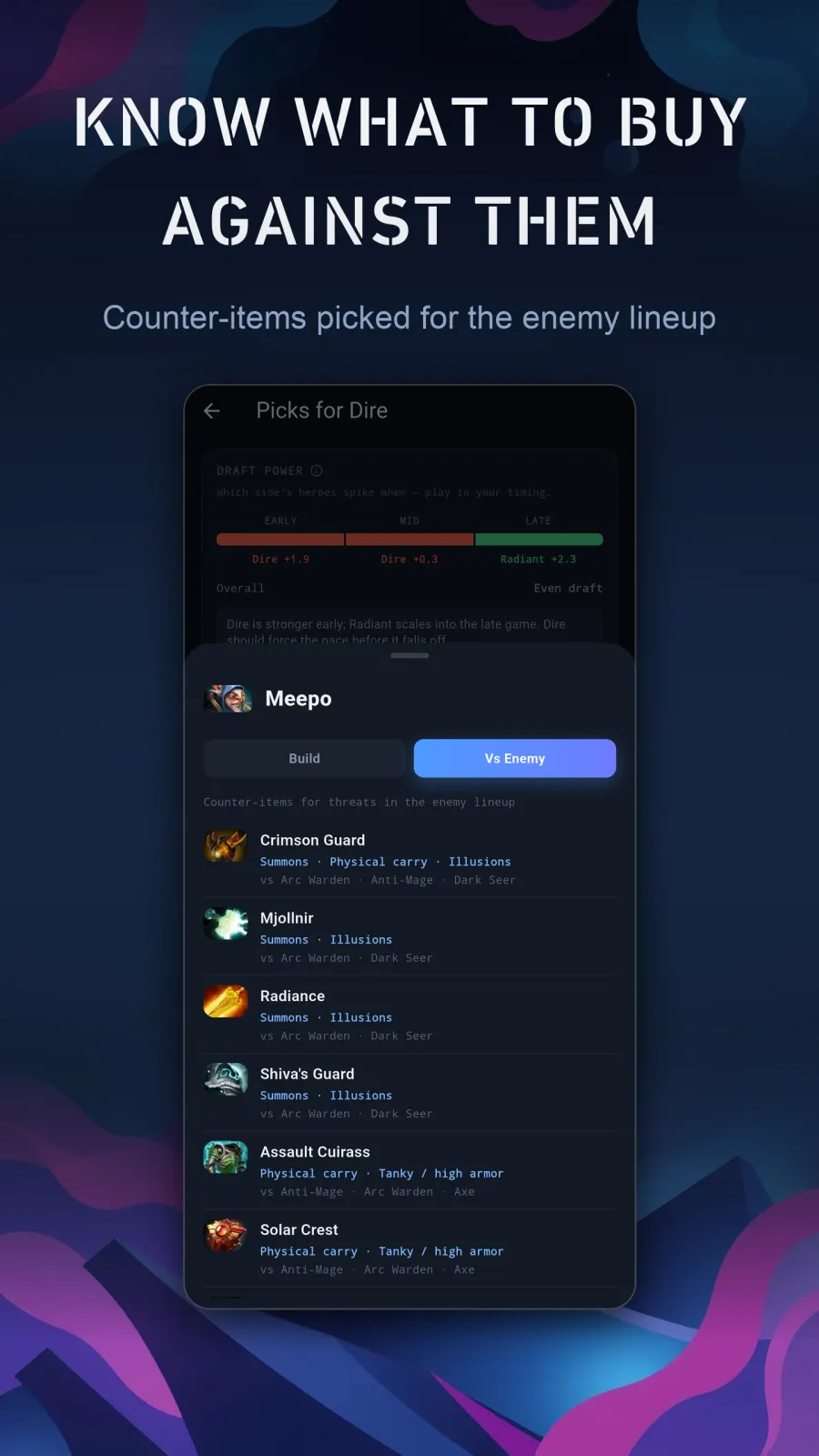
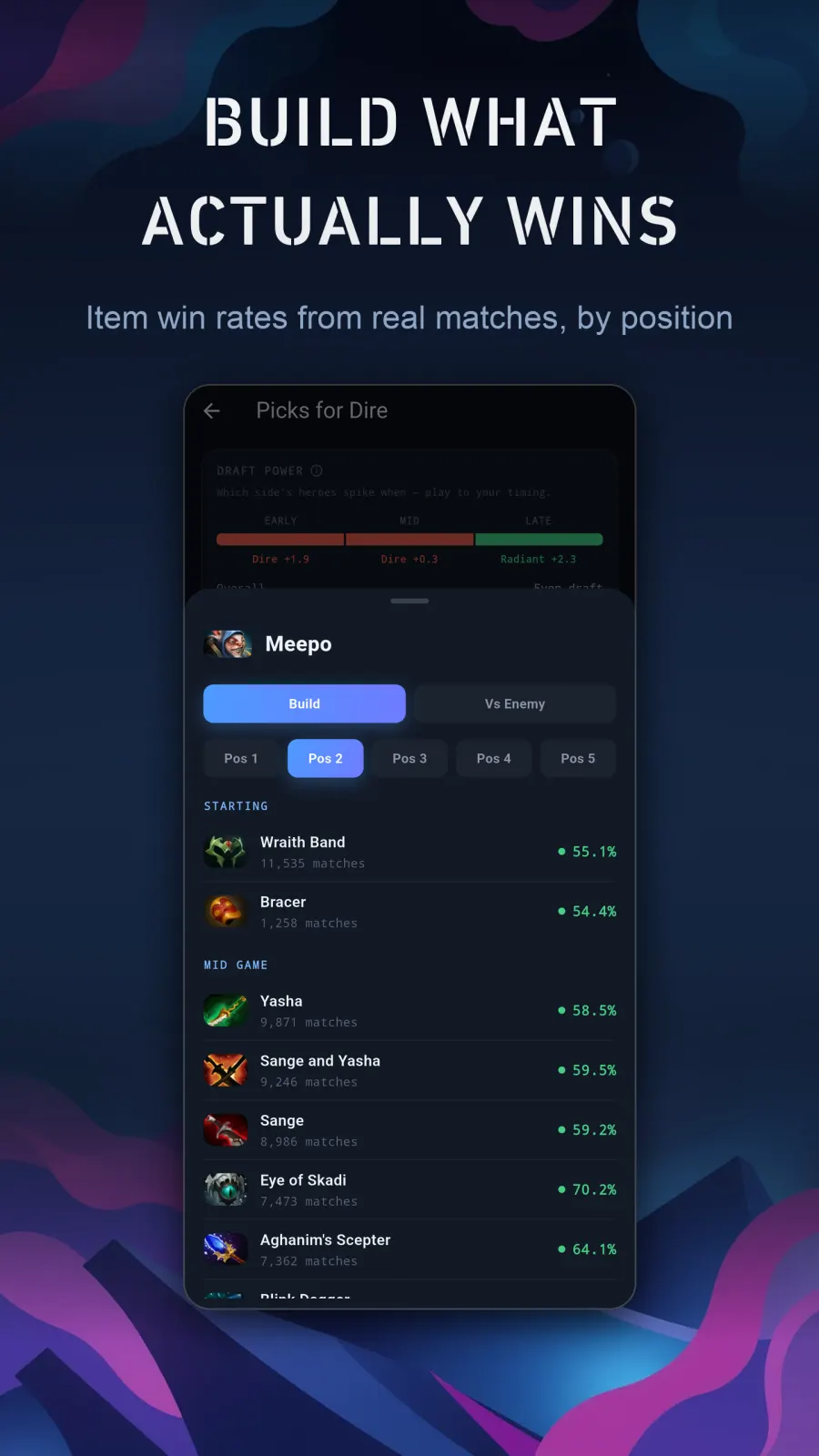
Match history and stats on your phone. Free.
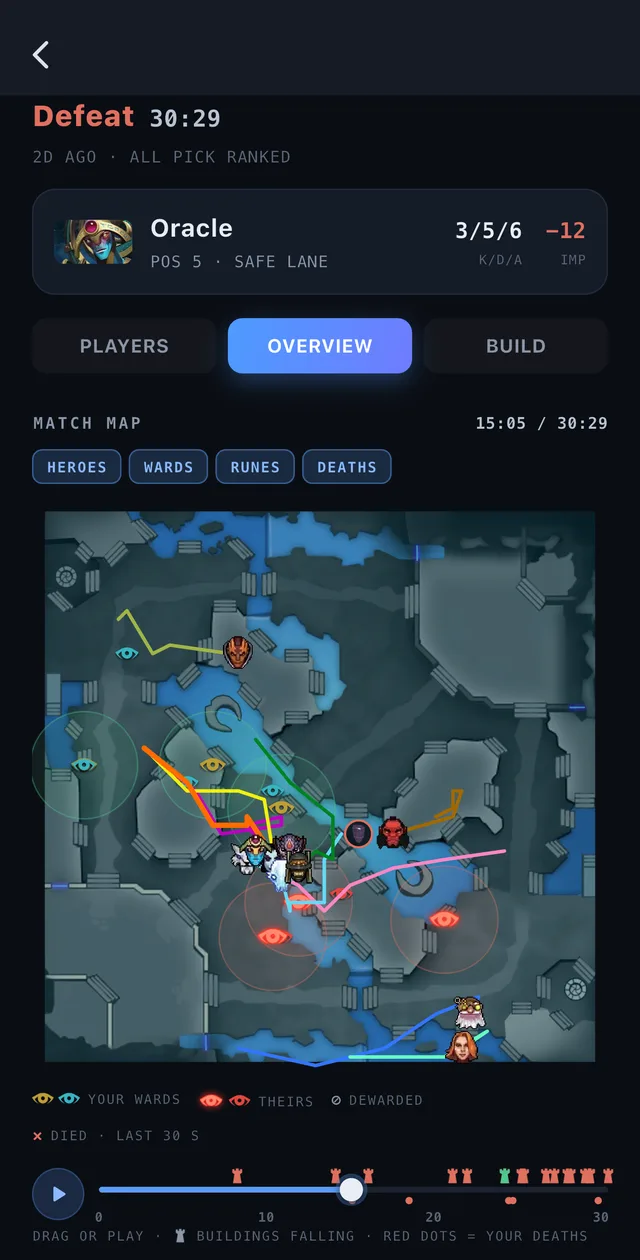
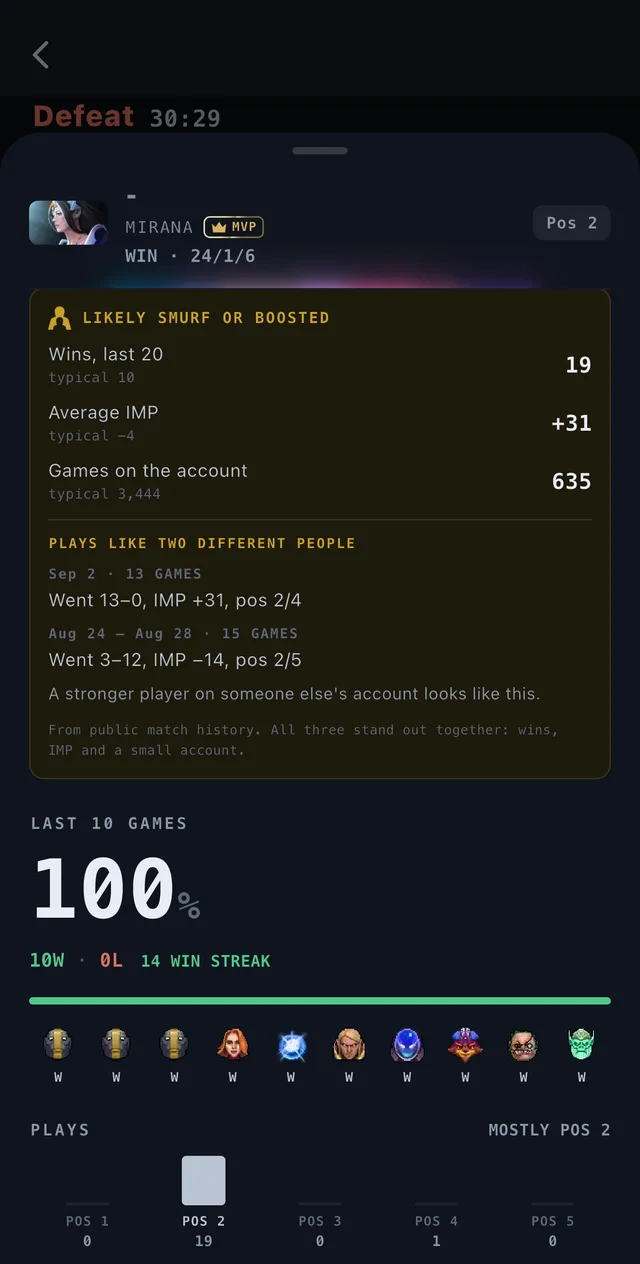
Link your Dota profile and every match plays itself back — where you died and why, where your farm went, the whole game on a minimap you can scrub, and who the other nine players really were. No Steam login.
Explore match stats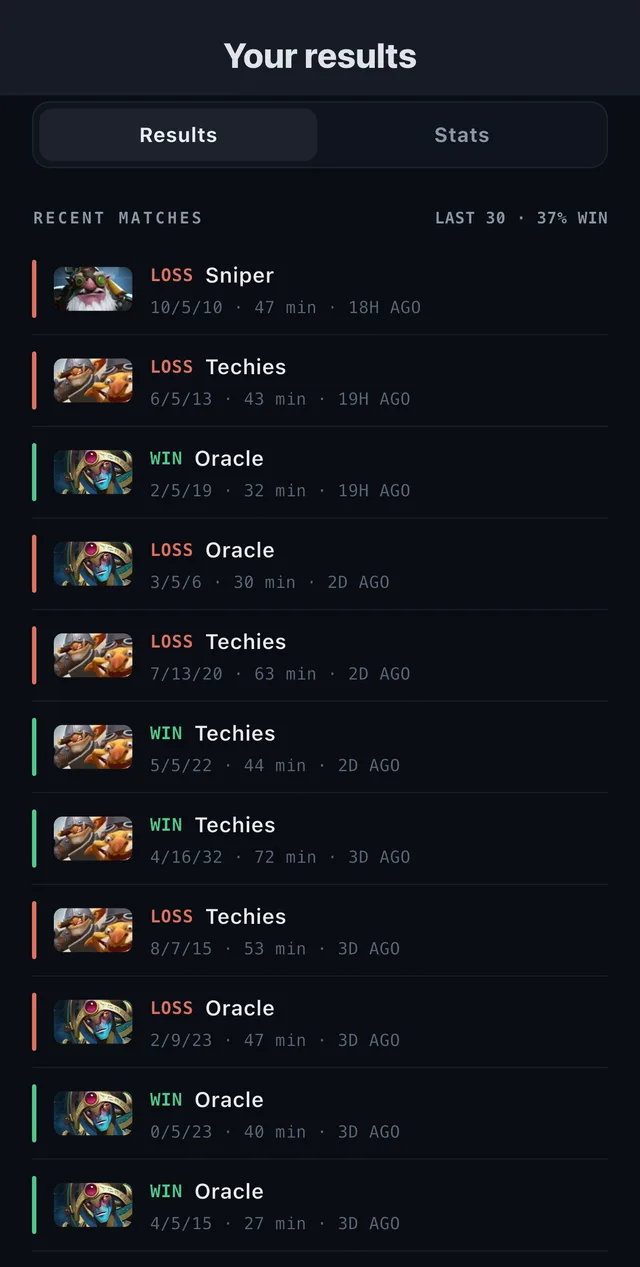
Pricing
Match history and stats are free. Forever.
Pro exists for one reason: counter-pick recommendations cost us live data on every request.
Free
Everyone — no account, no login, no registration
- Match history and stats
- Full draft scanning and hero recognition
- 3 counter-pick scans to try the recommendations
Dota Addiction Pro
Monthly or annual subscription
- Unlimited counter-pick recommendations
- No 3-scan limit
- Scan every match
Current pricing is shown in the store, in your local currency. Cancel any time in Google Play > Subscriptions, or on iPhone in Settings > your name > Subscriptions.
FAQ
Questions people actually ask
How do I scan a draft?
Tap the "Scan the draft" button on the home screen — we'll ask for permission to use your phone's camera. Frame the in-game draft (the row of hero portraits) inside the corner guides. Hold steady — the heroes will be detected automatically and fill in both teams.
It recognized a hero incorrectly. Can I fix it?
Yes. After a scan you land on the Confirm draft screen. Tap a hero in a team row to remove it, then tap the correct hero in the grid below to add it. Use the search box and the Str / Agi / Int / Univ filters to find heroes quickly.
Does it interact with the game?
No. It runs on a separate device and reads a photo of your screen. It does not inject into, modify, overlay or read memory from the Dota 2 client, and it does not connect to your Steam account.
Do you upload my photos?
To read the draft, yes — and only for that. While the scanner is open the app sends the camera frame to our server over HTTPS, the server recognises the heroes and answers with their names, and the frame is thrown away when the request ends. We do not store it, and there is no account for it to be attached to. Keeping a photo is a separate thing you switch on yourself — see Settings → Contribute draft photos, off by default, and our privacy policy for details.
Where do the recommendations come from?
Our counterpick suggestions and item builds come from the STRATZ API, which aggregates recent professional and high-MMR match statistics. We use those to rank picks, counters and items for the current draft. (We also reference OpenDota for some supplementary data.)
What's the difference between Free and Pro?
- Free — unlimited item builds for every hero and position, full draft scanning, and 3 counter-pick recommendations to try.
- Pro — the same features with no limit: unlimited counter-pick recommendations.
What do item builds show?
For a hero and role, item builds list the highest win-rate items and skill order from recent matches. Item builds are available to everyone.
Win the draft before it starts
Free to try on iPhone and Android. Nothing to sign up for.